Guide
Sizing VRAM: how batch size and context length decide whether your job runs
Five things compete for a GPU. Three of them you can calculate exactly, one depends on choices you make, and one is the reason you should never plan to fill the card. A working method for both training and serving.
- Topic
- Memory planning
- Reading
- About 8 minutes
- Published
- 3 August 2026
- Applies to
- Starter, Professional, Enterprise
Contents
The short version
Weights, gradients and optimizer state are fixed by the model and the training method, and you can compute them to the byte. Activations are set by batch size and sequence length, and they are where an experiment usually dies. Budget about ten per cent of the card for allocator overhead and never plan to use the last gigabyte.
01Five things competing for the card
An out-of-memory error is rarely mysterious once you know what is in the card. During a training step, five things occupy VRAM at the same time:
- Parameters — the weights themselves.
- Gradients — one value per trainable parameter.
- Optimizer state — for Adam, two running moments per trainable parameter, usually in fp32.
- Activations — intermediate tensors saved on the forward pass so the backward pass can use them.
- Workspace and fragmentation — allocator overhead, kernel scratch space, and gaps left by freeing tensors of mismatched sizes.
The first three are arithmetic. The fourth depends on decisions you control. The fifth is why a job that theoretically needs 15.6 GB fails on a 16 GB card: plan to leave roughly ten per cent free.
02Bytes per parameter
The training method changes the cost per parameter by more than an order of magnitude. This is the table worth memorising:
| Method | Weights | Gradients | Optimizer | Total | Per billion params |
|---|---|---|---|---|---|
| Full fine-tune, mixed precision, Adam | 2 + 4 fp32 master | 2 | 8 | ~16 bytes | ~16 GB |
| LoRA, bf16 frozen base | 2 | adapters only | adapters only | ~2 bytes | ~2 GB |
| QLoRA, 4-bit frozen base | ~0.5 | adapters only | adapters only | ~0.6 bytes | ~0.6 GB |
| Inference, bf16 | 2 | — | — | 2 bytes | ~2 GB |
| Inference, 4-bit | ~0.5 | — | — | ~0.6 bytes | ~0.6 GB |
With LoRA and QLoRA the base weights are frozen, so gradients and optimizer state exist only for the adapters. Adapters are typically a fraction of a per cent of the base, so even at 16 bytes each their state is measured in hundreds of megabytes rather than tens of gigabytes. The quantised figures are approximate because 4-bit schemes also store per-block scaling constants, which is why 0.5 becomes roughly 0.6 in practice.
03Activations, where your choices bite
This is the term people leave out, and the one that responds to your settings. Activation memory scales, to a first approximation, with the product of four things:
batch size × sequence length × hidden size × number of layers
The constant in front depends on the implementation — how many tensors per layer the framework saves, whether attention is fused, what precision the saved tensors use. Rather than trust a formula, do this: run a single step at batch size 1 with your real sequence length, read the peak allocation, subtract the weights and optimizer state you already calculated, and you have your activation cost per sample. Then scale it.
Two consequences follow from the multiplication:
- Doubling batch size roughly doubles activation memory. This is the cheapest dial you have, and gradient accumulation lets you keep the effective batch size while turning the physical one down.
- Doubling sequence length roughly doubles it too — provided you are using a memory-efficient attention implementation. Without one, the attention matrix itself is quadratic in sequence length, and long-context training fails far earlier than this estimate suggests.
Gradient checkpointing is the other major lever. Instead of keeping every intermediate tensor, it stores a subset and recomputes the rest during the backward pass. The saving is large, the cost is roughly twenty to thirty per cent more compute time. On a monthly plan where the card is already yours, trading time for memory is often free in any sense that matters.
04Worked examples
Weights, gradients and optimizer state only — before activations. Model sizes chosen because they are the classes people actually fine-tune, and the classes we serve on Medusa.
| Model size | Full fine-tune | LoRA (bf16 base) | QLoRA (4-bit base) |
|---|---|---|---|
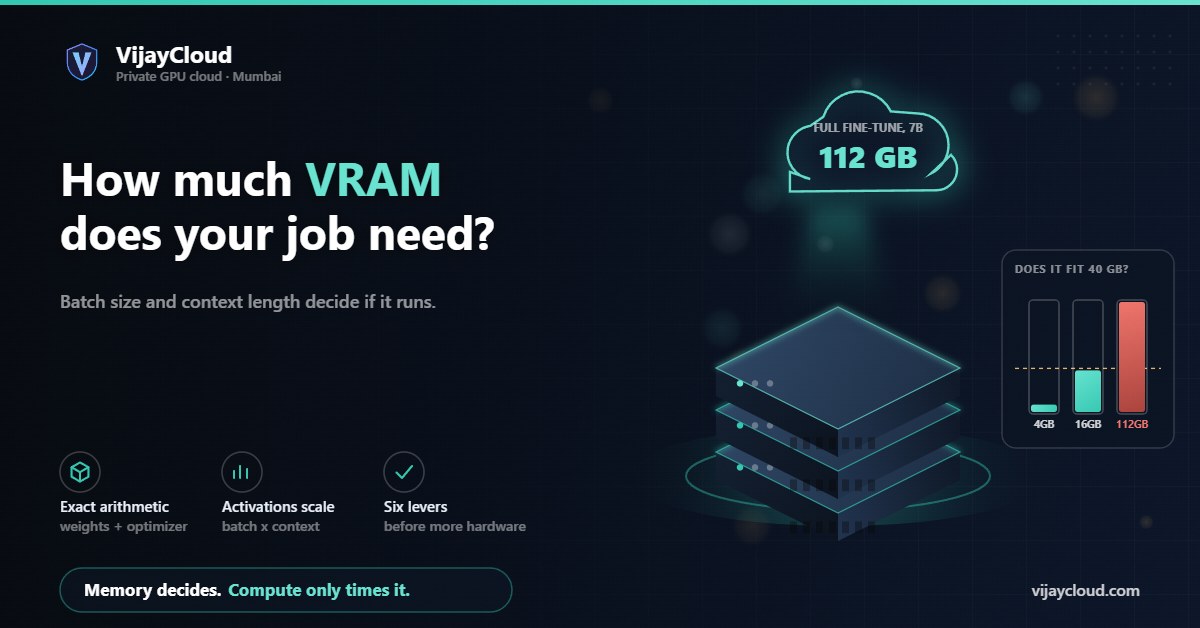
| 7B | ~112 GB | ~14 GB | ~4 GB |
| 12B | ~192 GB | ~24 GB | ~7 GB |
| 14B | ~224 GB | ~28 GB | ~8 GB |
Now put the two cards against it.
16 GB, our Starter plan. QLoRA on a 7B model sits at roughly 4 GB of fixed cost, leaving around 10 GB for activations after overhead — comfortable. QLoRA on 12B or 14B is feasible at 7 to 8 GB fixed, but you will be managing batch size and sequence length deliberately. LoRA on a 7B model is not realistic: 14 GB of frozen bf16 weights leaves under 2 GB, which will not hold a step.
40 GB, our Professional plan. LoRA on 7B at 14 GB fixed leaves plenty of headroom. LoRA on 12B to 14B at 24 to 28 GB works with gradient checkpointing and a modest batch. QLoRA reaches well into the 30B range. Full fine-tuning fits only for models around 2B and below.
Full fine-tuning anything from 7B upward needs more than one card, because 112 GB does not fit in 40 GB by any arrangement of settings. That is a multi-GPU conversation, which on our side is the Enterprise configuration rather than a plan you pick from a page.
If you are choosing between the two cards rather than sizing a specific job, the companion piece on 16 GB versus 40 GB approaches it from that direction.
05Serving is a different sum
For inference there are no gradients and no optimizer state, so weights are cheap. The cost that surprises people is the KV cache, which grows with every token you generate and with every concurrent request.
For standard multi-head attention, the cache costs, per token:
2 × layers × hidden size × bytes per element
Take a 32-layer model with a hidden size of 4096, served in bf16. That is 2 × 32 × 4096 × 2 bytes, or about 512 KB per token. A single 4096-token conversation therefore holds around 2 GB of cache. Eight concurrent conversations at that length is about 16 GB — more than the weights of the model itself in 4-bit.
One important correction
Most current models use grouped-query attention, which shares key and value projections across several query heads. Divide the figure above by the ratio of query heads to key-value heads — commonly four or eight. Treat the multi-head number as an upper bound, and check the model config before you plan capacity around it.
The practical conclusion is that serving concurrency is bounded by KV cache, not by weights. If you are sizing a card for inference, the question is not whether the model fits but how many simultaneous conversations at what context length you intend to hold.
06Levers when it does not fit
In the order we would try them, cheapest consequence first:
- Reduce physical batch size, add gradient accumulation. Keeps the effective batch, so the optimisation behaviour is unchanged. Costs wall-clock time only.
- Shorten sequence length, if your data tolerates it. Check the actual token-length distribution first — a long maximum is often set by a handful of outliers you could truncate or bucket.
- Enable gradient checkpointing. Large saving, twenty to thirty per cent slower, no effect on results.
- Use a memory-efficient optimizer. An 8-bit Adam cuts the two fp32 moments substantially, which matters most in full fine-tuning where optimizer state dominates.
- Move from full fine-tuning to LoRA, or LoRA to QLoRA. This changes what you are training, so it is a modelling decision rather than a memory trick — but for most adaptation tasks the quality difference is smaller than people expect.
- Use a bigger card, or more than one. The honest answer when the arithmetic genuinely does not close.
Work down that list before concluding you need more hardware. Most jobs that appear not to fit are a batch size and a checkpointing flag away from fitting.
If you would rather have someone check the arithmetic against your actual model and dataset before you commit to a plan, describe the workload and we will size it: contact@vijaycloud.com.
Related: RTX 16 GB or A100 40 GB · What a fine-tune costs monthly · Pricing
Leave a Reply