Guide
What an AI ops agent needs to see, and where that data ends up
An agent that investigates incidents is only as good as its read access. That makes the access list a data-governance decision before it is an engineering one.
- Topic
- Operations
- Reading
- About 7 minutes
- Published
- 11 August 2026
- Applies to
- Starter, Professional
Contents
The short version
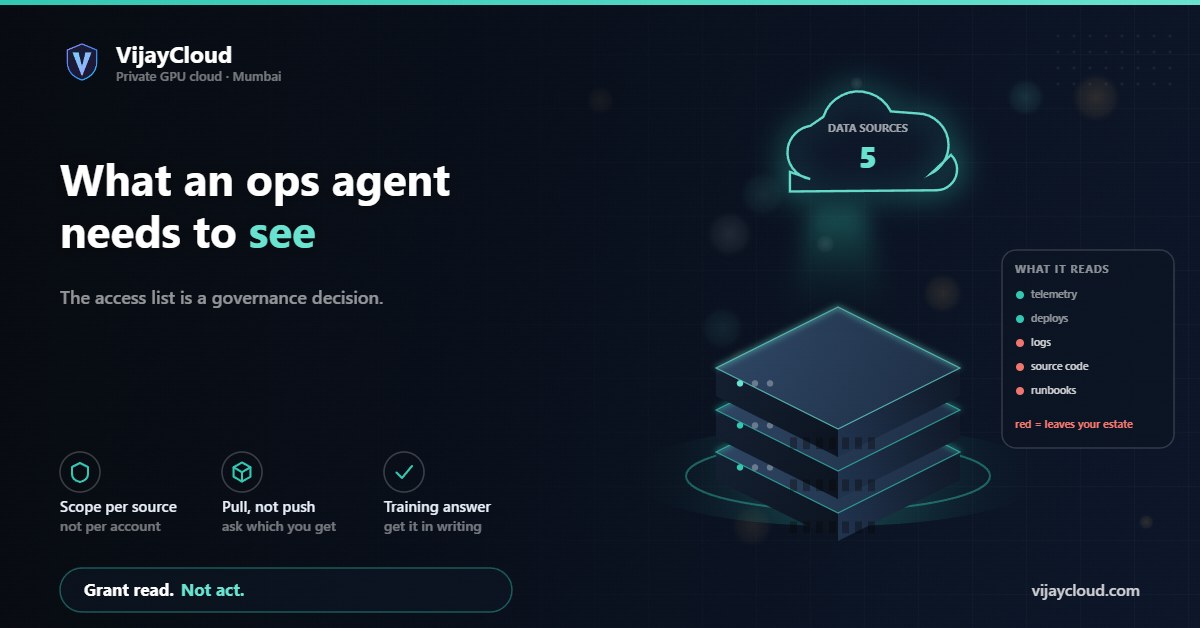
These tools work by correlating five things: telemetry, deployment history, source code, configuration and written knowledge. Grant less and the agent guesses; grant more and you have exported your production estate to somebody else’s cloud. Decide the access list deliberately, scope it read-only and per-source, and know which of the five you are willing to send off-premises. Running the model yourself changes the answer, because the sensitive half never leaves.
01Capability follows access, not model quality
The current crop of AI operations tools all make a similar promise: something reads your alerts, works out what broke, and either tells you or fixes it. The demos are genuinely impressive. What the demos do not dwell on is that almost all of the capability comes from breadth of access rather than from the model.
An agent that can see only your metrics can tell you that latency rose. One that can also see your deployment history can tell you it rose eleven minutes after a release. One that can additionally read the diff can tell you which change did it. Same model in all three cases; three very different products. When you compare these tools, you are mostly comparing how much of your estate each one is allowed to read.
That reframes the buying decision. The question is not “is the reasoning good enough” but “am I willing to grant this the access that makes the reasoning work”.
02The five sources they all want
Strip the marketing away and the access list is consistent across vendors.
| Source | What it enables | Sensitivity |
|---|---|---|
| Metrics and traces | Detecting that something changed, and where | Low to moderate |
| Logs | Explaining why, in the system’s own words | High — often contains user data |
| Deployment and config history | Attributing the change to a cause | Moderate — reveals release cadence and topology |
| Source code | Reading the actual logic that failed | High — your entire codebase |
| Runbooks, tickets, chat | Institutional knowledge and past fixes | High — unstructured, rarely audited |
The first and third rows are the least alarming and carry a lot of the value. The last two are where people sign quickly and regret it later. Runbooks and incident chat in particular are the least reviewed corpus in most companies: they contain credentials people pasted once, customer names, and candid assessments of vendors and colleagues. Nobody writes an incident channel expecting it to become retrieval material.
03Read access is not one permission
Tools tend to present integration as a single switch per system. It is worth insisting on more granularity than the setup wizard offers, because the useful subset is usually much smaller than the default.
Scope by resource, not by account. An agent investigating your inference service does not need read access to your billing system or your HR tooling, even though the same cloud credential may reach both. Separate roles, minimum scope.
Separate read from act. Investigation and remediation are different privileges and should be granted at different times. A tool that can restart a pod is in a different risk class from one that can only describe it, and the second is where you should start.
Log the agent’s own reads. If the agent queries your logs, that query is itself an access event and should appear in your audit trail. You want to be able to answer “what did this thing look at last Tuesday” without asking the vendor.
Prefer pull over push. Some integrations ship a continuous copy of your telemetry to the vendor; others query on demand during an investigation. The second leaves far less of your data sitting outside your perimeter, and the difference is rarely advertised. Ask which one you are getting.
04Where the data actually goes
Once the access is granted, the practical question is which of those five sources leaves your infrastructure, and where it lands.
Most of these products are SaaS. Your telemetry is queried or copied into their cloud, a frontier model is called with the relevant excerpts as context, and the conclusions come back. That means at least two parties beyond you: the tool vendor, and whichever model provider they call. Sometimes a third, if the model is hosted on a different cloud again.
None of that is disqualifying, and plenty of well-run companies accept it. But it should be a decision rather than a side effect, and it needs the same treatment as any other processor relationship: what is transferred, where it is processed, how long it is retained, whether it trains anything, and what happens on termination. If you operate under the DPDP Act or GDPR, those answers belong in a data processing agreement, not a support thread.
Ask specifically whether your data is used to improve the vendor’s models. Ask it in writing. The answer is frequently yes-by-default with an opt-out, and the opt-out is frequently not the plan you were quoted.
05Splitting the estate: the part that can stay
There is a middle path that gets less attention than it deserves. The five sources are not equally sensitive, and they do not all have to be handled the same way.
Metrics and deployment history are comparatively safe to send out: they are numbers and timestamps, and they carry most of the correlation value. Logs, source code and incident history are the sensitive half, and they are also the half that benefits most from a model you control, because you can hand it far more context when you are not worried about where the context goes.
Running the reasoning model on your own hardware changes the shape of the problem. The agent still needs the same access, but the access no longer implies an export. Your logs are read by a process on a machine you rent end to end, and the prompts constructed from them never cross a boundary. That is the same argument as self-hosting any other model, applied to the most sensitive corpus you have.
It is not free. You are now operating the agent as well as the systems it watches, and the capability gap between a frontier model and something you can serve on one A100 is real for open-ended reasoning. Whether that gap matters depends on how much of the work is genuinely open-ended and how much is pattern-matching against your own history — and in incident response, a great deal is the latter.
06A checklist before you connect anything
- List the five sources and mark each keep or send. Do this before the trial, not during it. It is much harder to withdraw access than to withhold it.
- Start with metrics and deploys only. If the tool is useless without your source code and your incident channel, that tells you something about where the value comes from.
- Grant read before act. Add remediation later, scoped to specific actions, with an audit trail you can read.
- Ask pull or push. Continuous replication and on-demand query are very different exposures.
- Get the training answer in writing. Including for the model provider behind the vendor, not just the vendor.
- Check what a trial leaves behind. Thirty days of your logs may persist in their system long after you stop paying. Ask how deletion works and whether you get confirmation.
If you decide the sensitive half should stay on your own hardware, that is a straightforward thing to size: email contact@vijaycloud.com with the model you are considering and roughly how much context you want to give it per investigation, and we will tell you what it needs. Including when the answer is that a hosted tool is the more sensible choice for you.